
Rooms, restaurant and hall. One GST bill.
Check a guest in, send his dinner order to the kitchen, add it to his room, and hand him one GST bill at checkout — printed, or on his WhatsApp. From any phone, and from the reception computer even when the internet is down.
Built for the way hotels in Bihar actually run
Most hotels here are not a chain with an IT department. They are twenty rooms, a restaurant downstairs, a hall on the roof, and four people who do everything. StayDine was written for that, not scaled down to it.
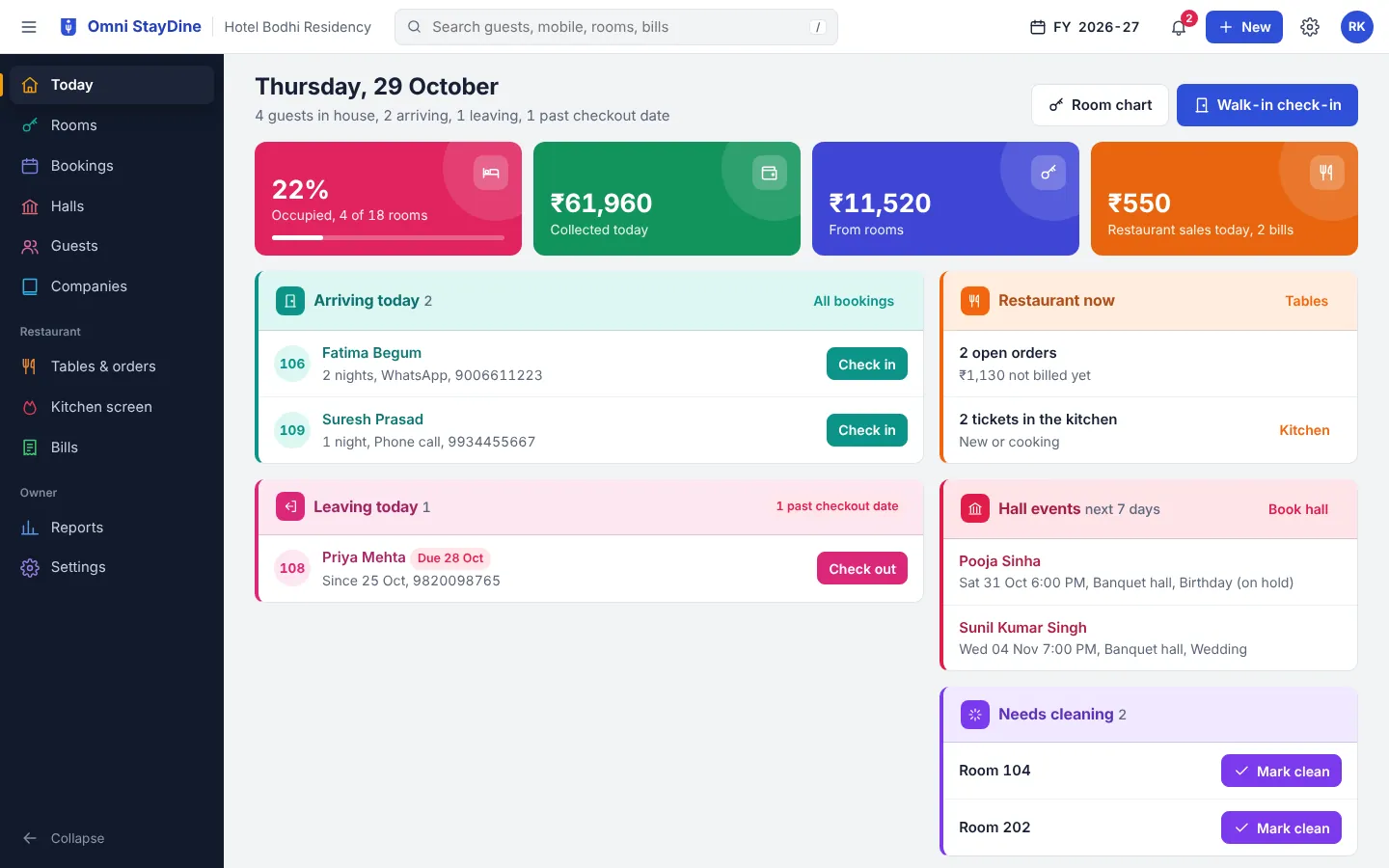
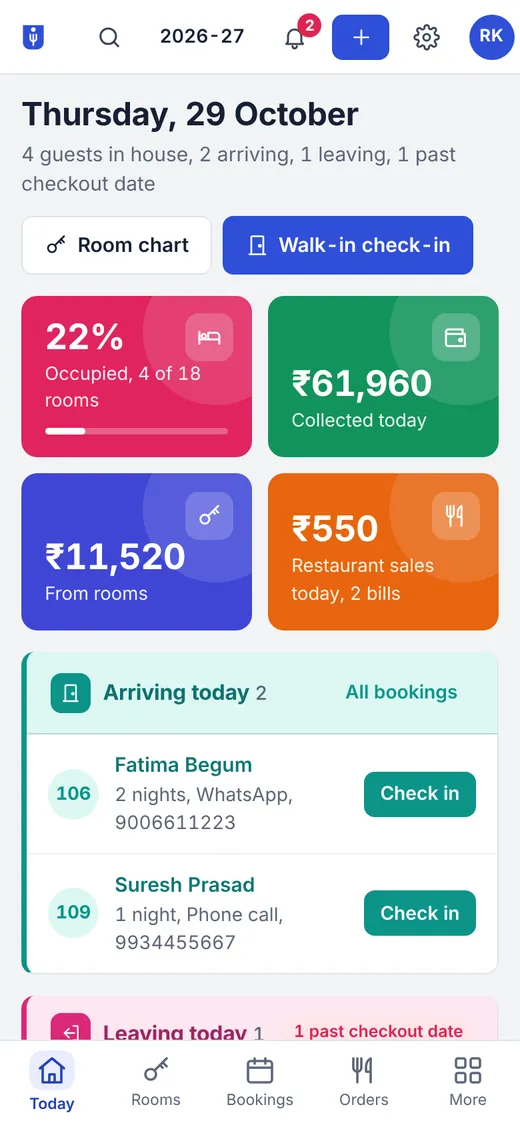
Your whole day on one screen
How many rooms are full, how much has come in, who is arriving, who is leaving, which rooms still need cleaning, and what is booked in the hall. The owner can see all of it from home.
- Occupancy and collections for the day so far
- Arrivals and departures, with the rooms still to clean
- Restaurant and hall bookings for the day
- Alerts for anything that needs attention
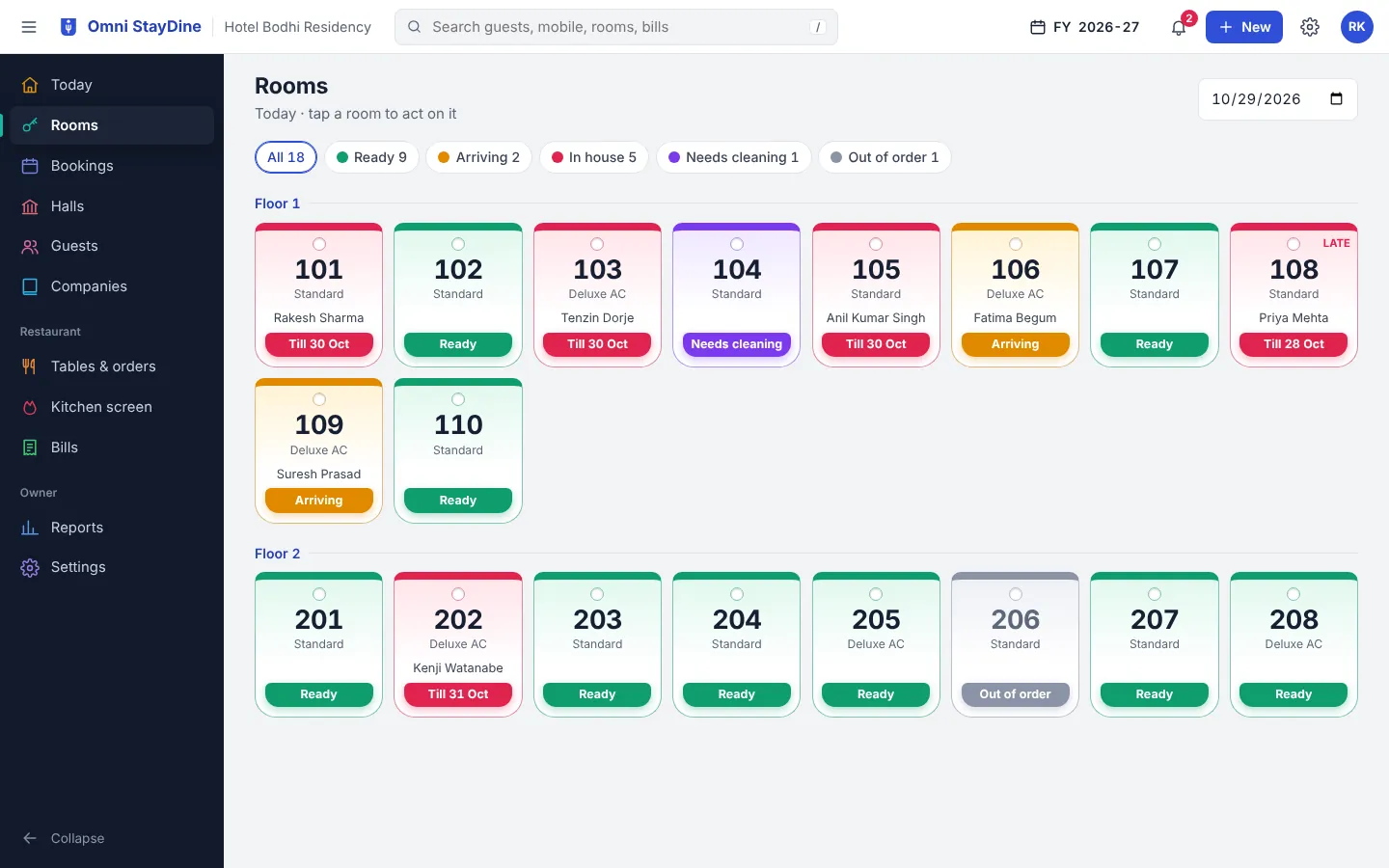
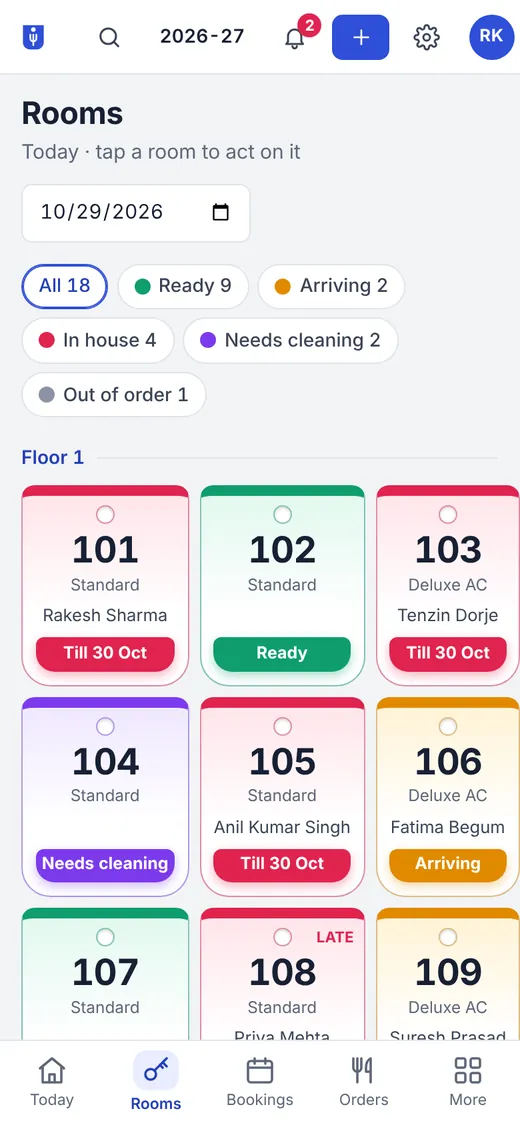
A room chart you can read from across the desk
Every room is a coloured tile. Free, occupied, being cleaned, leaving today. Reception checks a guest in by tapping a tile, and a returning guest comes up by mobile number with his old details already filled in.
- Check in, check out and mark cleaning in one tap
- Returning guests found by mobile number
- ID photo captured, and Form C details for foreign guests
- Group bookings, and company accounts with GSTIN and credit
Orders go to the kitchen, food goes on the bill
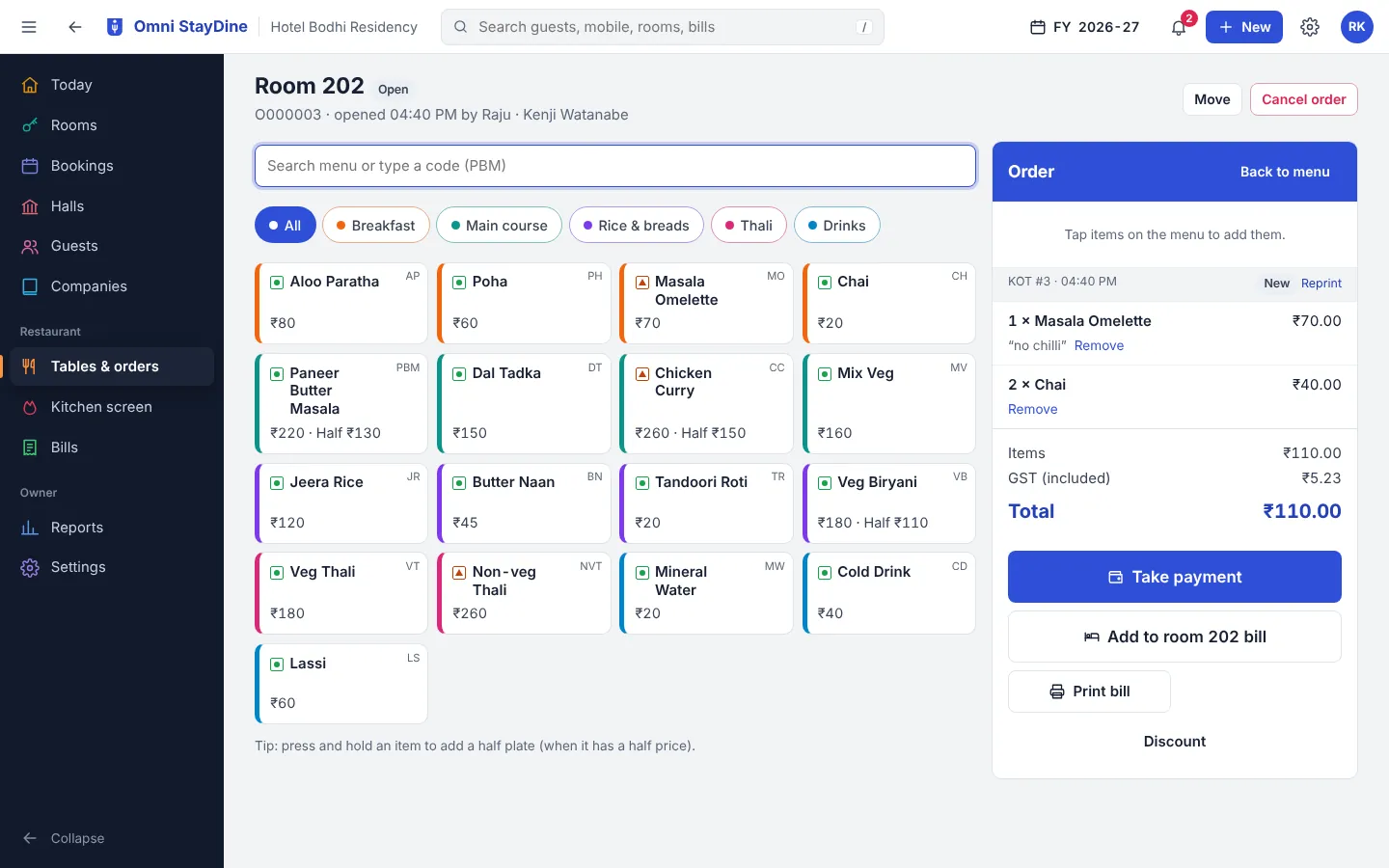
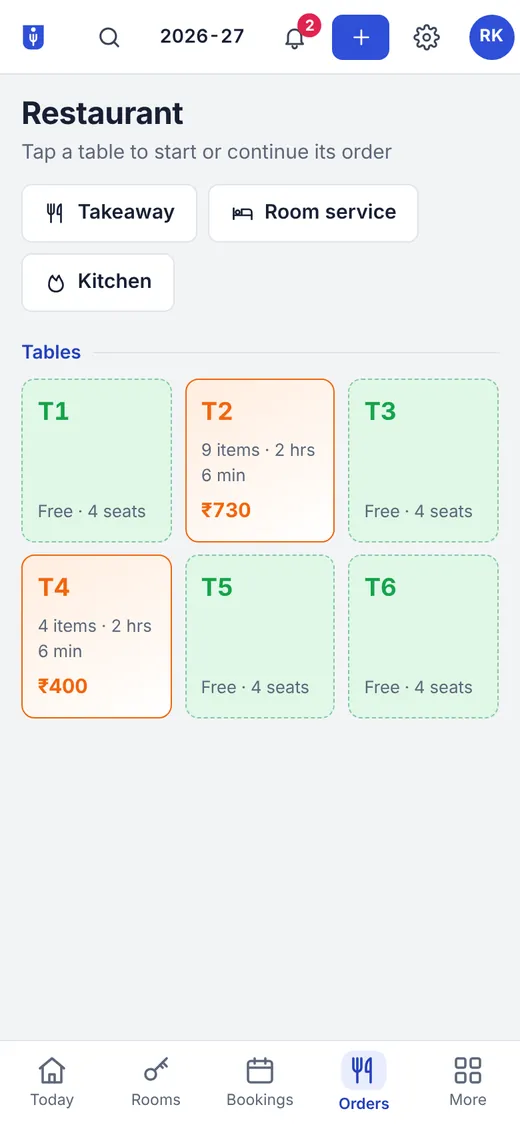
A waiter takes the order on his own phone. The kitchen screen lights up and the KOT prints. If the guest is staying, the food is already on his room bill before he reaches the counter.
- Short menu codes, so a regular order takes seconds
- Portions and dietary options on each item
- Kitchen screen with timers, and KOT printing
- Make the bill now and take payment later, or split it
Weddings and parties, without the double booking
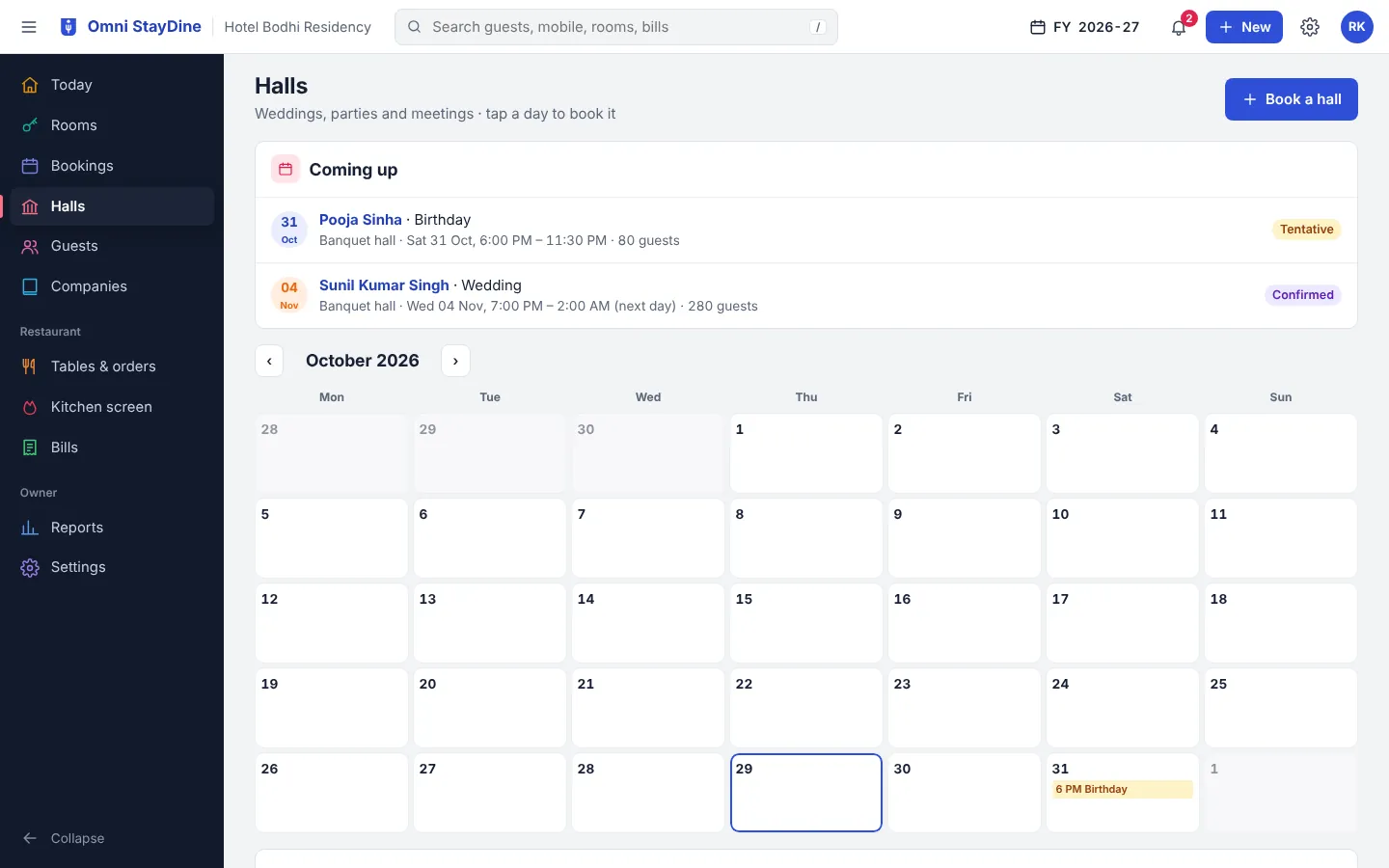
A calendar for each hall, with tentative dates held separately from confirmed ones. Advances are receipted against the booking, and the day before an event everyone involved gets a reminder.
- Tentative holds, so dates do not sit blocked for nothing
- Advances taken and receipted against the booking
- Day-before reminders for the kitchen and the staff
- One final bill carrying hall, food and extras together
Bills your CA will not send back
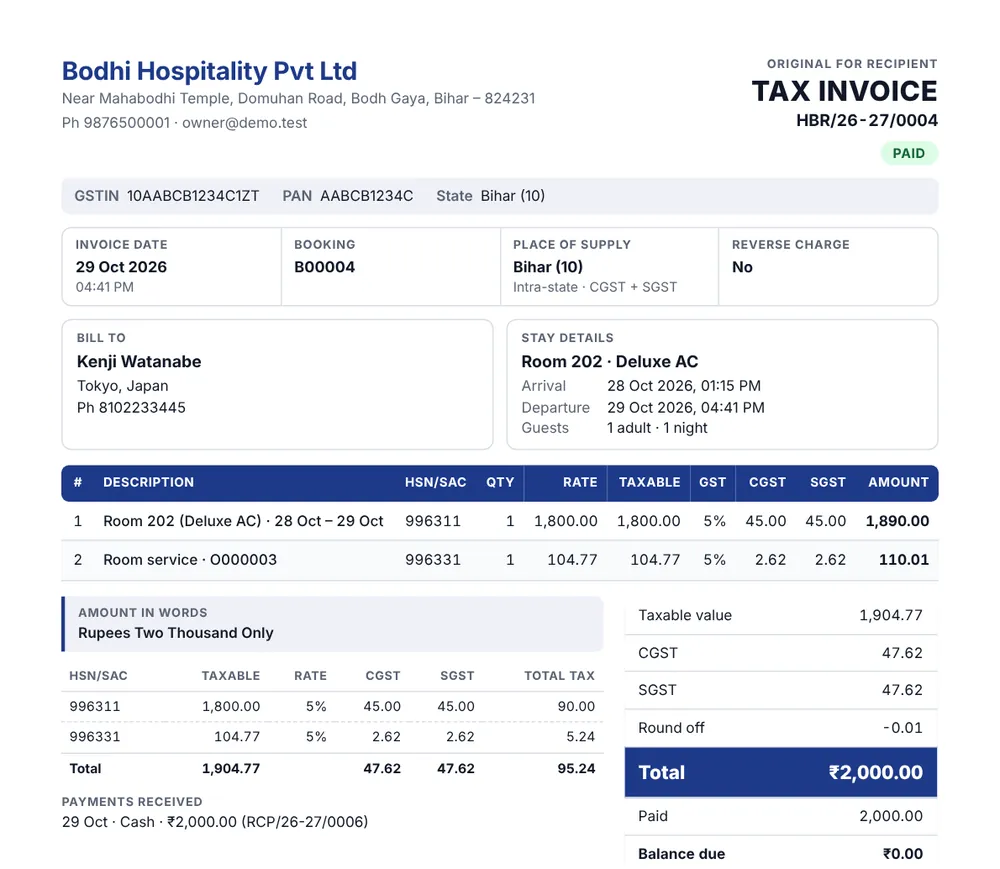
GST worked out line by line, split into CGST and SGST or charged as IGST, with HSN and SAC codes and invoice numbers that run in order through the financial year.
- Three bill designs, printed on A4, A5 or a thermal roll
- A separate printer for each kind of bill, if you want one
- UPI QR code on the bill, so the guest pays from the bill
- Sent on WhatsApp as a private link
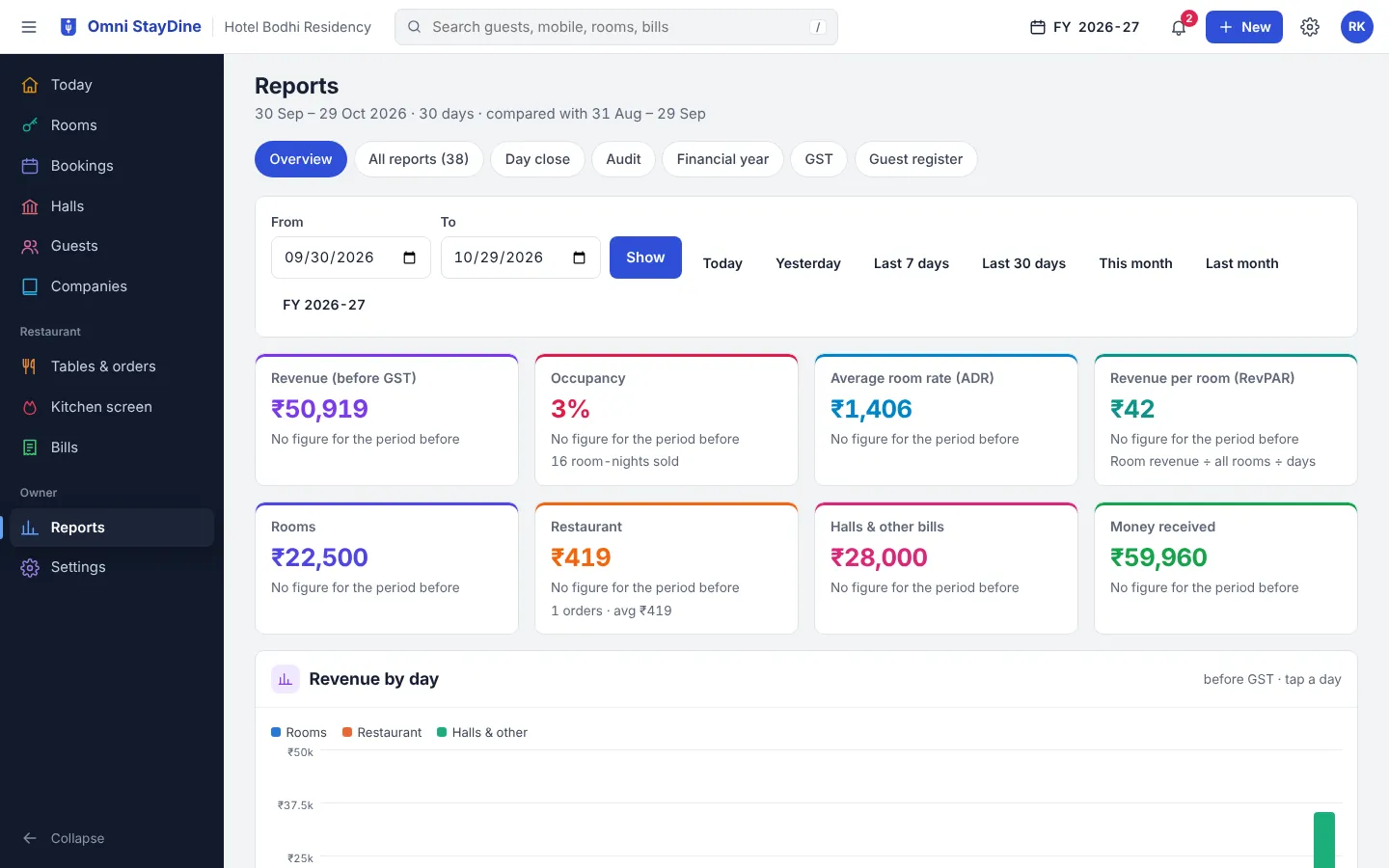
Thirty-eight reports. Know where every rupee went.
Occupancy, ADR and RevPAR, sales by category, collections, what is still outstanding, GST summaries for the return, and the daily close. Compare one period with another, and take the lot into Excel.
- Occupancy, ADR and RevPAR, worked out for you
- GST summaries ready for the return
- Outstanding bills, by guest and by company
- Any period against any other, exported to Excel
Two minutes, in Hindi, on a real hotel’s day
Check-in, a restaurant order going to the kitchen, and one GST bill at the end. No slides.
It runs on the phone already in your pocket
No tablet to buy and no counter machine to rent. The owner watches the day from his phone, reception works from the desk computer, and the waiter takes orders from his own phone.
Internet gone? The billing carries on.
A free app sits on the reception computer and keeps its own copy of the day. When the line drops, checkouts and bills continue exactly as before, and everything syncs by itself once it is back. Nobody has to remember to do anything.
- Bills and checkouts keep working with no internet
- Syncs both ways the moment the line is back
- Updates itself — no uninstalling, no reinstalling
- A daily backup, copied to a pendrive or a Drive folder
- Runs in its own window, with a tray icon
- Built-in checker for when something looks wrong
The Windows app is included with every plan. There is nothing extra to buy, and it updates itself.
A Tuesday at a twenty-room hotel in Patna
-
7:30
Housekeeping clears two rooms
Marked clean from a phone on the landing. The chart turns green before reception has made tea.
-
11:05
A guest checks out
Last night’s dinner is already on the bill. The GST bill goes to his WhatsApp and he pays by UPI from the bill itself.
-
13:20
A family walks in
Mobile number, ID photo, room 204 — done in under a minute while they are still at the counter.
-
17:00
A wedding party asks for the 14th
The hall is free, the advance is taken, and the booking slip prints while they wait.
-
20:45
Room 109 orders dinner
The kitchen screen lights up, the KOT prints, and the charge lands on room 109.
-
23:30
The owner opens Today, at home
Collections, occupancy, and one discount — with the name of the person who gave it.
Your records stay yours
The questions an owner asks before trusting software with the cash counter, answered in the software itself.
Everyone has their own login
Owner, manager, reception, waiter and kitchen each see only what they need. The waiter cannot open the reports.
A bill is never deleted
A bill can be corrected, and it keeps its own number while it is corrected. Cancelling one makes a credit note instead, so the trail stays whole.
Discounts have a name on them
Every discount, correction and refund is logged against the person who made it, and shows up in the audit report.
You are told about new devices
A login from a device that has not been used before raises an alert, and you can sign that device out from where you are.
Your data is only yours
Each hotel’s records are kept apart from every other hotel’s, over a secured connection.
Backed up every day
Daily backups run whether or not anybody remembers them, which is the only kind that work.
One price a month. No setup fee, no commission.
Prices include GST. Every plan has every feature — the only difference is how many rooms and how many staff.
Starter
- Up to 10 rooms
- 3 staff logins
- Every feature below
Growth
- Up to 30 rooms
- 10 staff logins
- Every feature below
Pro
- Up to 100 rooms
- 50 staff logins
- Every feature below
In every plan, including Starter
- Room chart and check-in
- GST bills, corrections and credit notes
- Restaurant orders and KOT
- Banquet hall calendar
- Group bookings and company accounts
- Windows app for offline billing
- All 38 reports, and Excel export
- Setup help and staff training
Thirty days free to begin with, and no card is asked for. After that you pay by the month or by the year, and you can stop whenever you like — your data stays available to you.
Questions owners ask us
Something not covered here? Call and ask. We will tell you straight, even if the answer is that StayDine is not what you need.
Call +91 93086 86345No. It opens in Chrome on whatever you already have — phone, tablet or the computer at reception. The Windows app is optional, and it is only there so billing keeps working when the internet does not.
With the Windows app on the reception computer, billing carries on as normal and everything syncs by itself once the line is back. Without the app, you need internet.
You correct it, and it keeps the same bill number — no credit note is needed while that month’s GSTR-1 is still unfiled. Once the return is filed, or if you cancel a bill outright, a credit note is made instead. Either way nothing is deleted and every change is logged.
No. Bills are never removed, and each person works under their own login. Every discount, correction and refund carries the name of whoever made it and appears in the audit report.
GST is worked out on each line, split into CGST and SGST or charged as IGST, with HSN and SAC codes. Invoice numbers run in order through the financial year, which is the first thing a CA checks.
Yes. You switch on the parts you need. A restaurant on its own, a hall on its own, or rooms on their own all work, and you can add the others later without starting again.
Any printer your phone or computer can already print to — A4, A5 or a thermal roll. You can send each kind of bill to a different printer.
Thirty days free to begin with, no card. After that you pay by the month or by the year, and you can stop whenever you like. Your data stays available to you.
Try it on your own hotel for thirty days
Put in your rooms and your menu and run a real day on it. We set it up with you and train your staff.